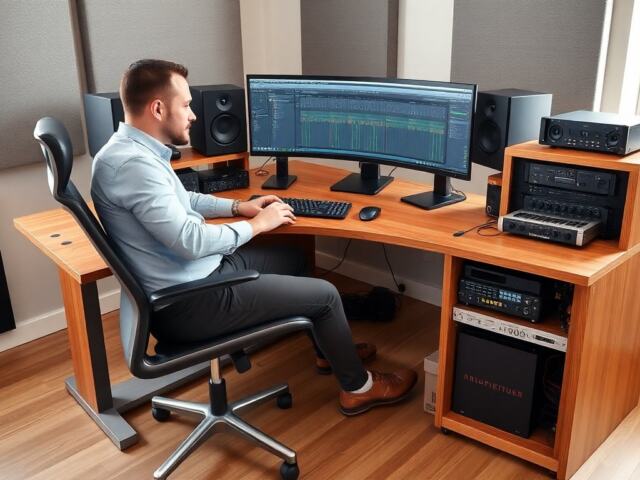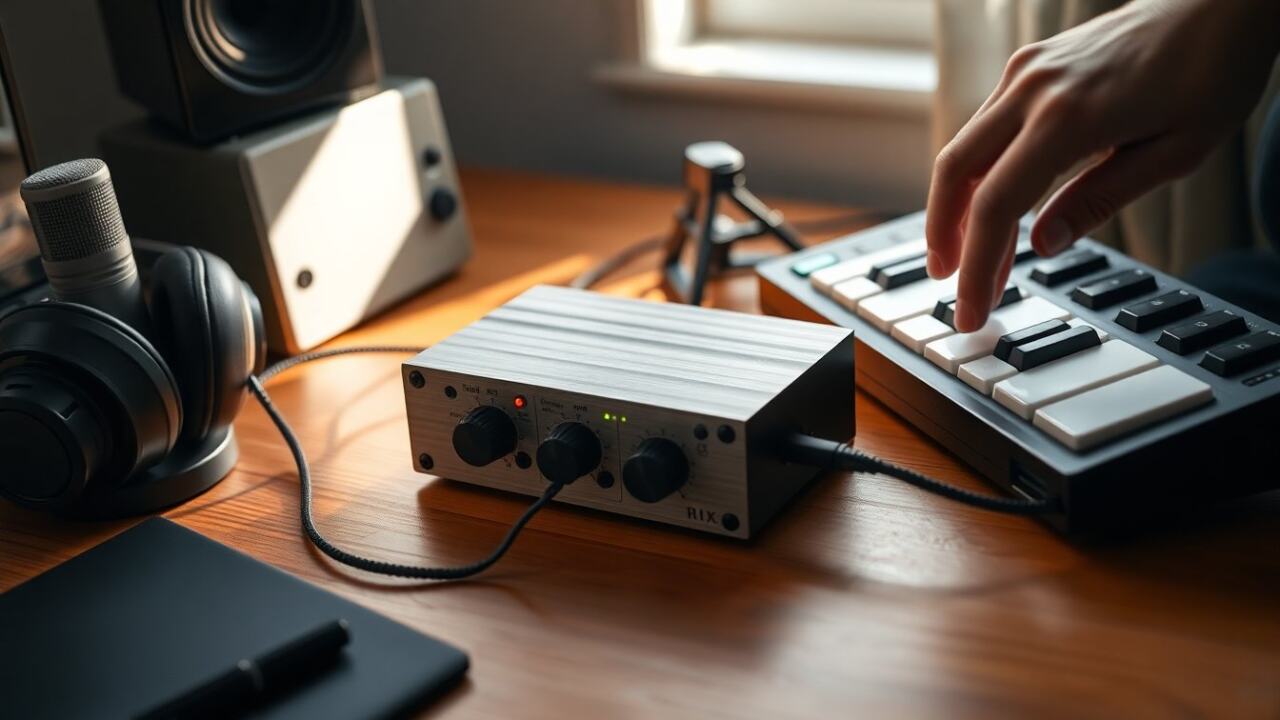
Software known as a digital audio workstation (DAW) is what people use to record, edit, arrange, and mix sound on a computer. It combines a multitrack recorder, virtual instruments, MIDI sequencing, and audio editing tools into one environment so creators can turn ideas into finished tracks. For someone new to music production, a DAW is the central hub where raw sounds become a polished song.
Key Takeaways
- A digital audio workstation (DAW) is essential software for recording, editing, and mixing music on a computer, integrating multiple tools in one platform.
- Effective use of a DAW involves understanding its signal flow: input to track, insert/send effects, then master output for a polished final mix.
- Key features of a DAW include multitrack recording, MIDI sequencing, plugin support, mixing tools, and automation to enhance creative control.
- Choosing the right DAW depends on your goals, budget, operating system, and workflow, so select one that best fits your music production needs.
- Starting with basic projects and mastering your DAW’s native tools builds a strong foundation before expanding to advanced plugins or techniques.
- Proper gain staging, session organization, and regular backups are crucial habits to make your DAW a reliable and efficient creative partner.
What A DAW Is And How It Works
A digital audio workstation (DAW) is software that handles audio recording, editing, and mixing, often alongside MIDI sequencing and virtual instruments. At its core a DAW provides a timeline-based interface where audio clips, MIDI regions, and automation lanes are placed on separate tracks. When the project plays back, the DAW routes audio through effects, adjusts levels, and renders the output to a stereo file or stems.
How it works in practice:
- Input and capture: microphones and line sources feed audio into an audio interface: the DAW records that signal to disk as discrete tracks.
- Editing and arrangement: waveforms and MIDI notes are trimmed, copied, chopped, time-aligned, and arranged into a song form.
- Processing and mixing: EQ, compression, reverb, and other plugins are applied per-track and on group busses: automation changes parameters over time.
- Output and export: the mixed result is bounced to a stereo file or to multiple stems for mastering and distribution.
Many DAWs also include built-in libraries of loops and virtual instruments (synths, samplers, drum machines) so one application can cover composition through final export. The architecture is flexible: some people use a linear multitrack workflow similar to tape, while others run many virtual instruments for in-the-box electronic production. Understanding the signal flow, input → track → insert/send → master, makes the DAW predictable and easier to use.
Key Features Every DAW Should Have
When evaluating a DAW, several core features indicate a capable platform:
- Multitrack recording and editing: non-destructive editing, comping, and flexible clip manipulation.
- MIDI sequencing: piano roll editing, quantize options, and support for MIDI controllers.
- Plugin support: compatibility with common plugin formats so users can run effects and virtual instruments.
- Mixing tools: channel strip controls, busses, sends/returns, and metering for loudness and headroom.
- Automation: parameter automation for volume, pan, plugin controls, and tempo changes.
Additional features that matter depending on workflow:
- Built-in virtual instruments and sound libraries, useful for composers or beat-makers.
- Advanced audio warping/time-stretching, essential for tempo-based editing and remixing.
- Collaboration and cloud project support, helpful for remote teams.
- Batch export, stem rendering, and mastering-friendly metering.
A practical checklist for newcomers: the DAW should reliably record without glitches, save projects with all associated files, and allow easy undo/redo. For live performance or electronic production, robust MIDI and low-latency monitoring are critical. For podcasting, look for easy voice editing and simple file export. In short, the best DAW matches the user’s primary tasks and hardware while offering room to grow.
How To Choose The Right DAW And Get Started Quickly
Choosing a DAW begins with clarifying goals and constraints. If the user wants simple podcasting, they need a different feature set than someone composing film scores. Consider these factors:
- Budget and licensing model, free, one-time purchase, or subscription.
- Operating system and hardware compatibility, ensure the DAW runs on the available computer and supports the audio interface.
- Genre and workflow, linear recording, loop-based beat-making, or hybrid setups.
- Community and learning resources, active forums, tutorials, and preset libraries speed the learning curve.
A quick-start plan for beginners:
- Pick a DAW that fits the budget and OS (many offer trial versions). 2. Install the latest drivers for the audio interface and configure sample rate and buffer size for low latency. 3. Create a simple project: record one vocal or instrument track, add a virtual instrument, and arrange a short loop. 4. Learn basic editing (cut, fade, comp) and apply one EQ and one compressor to taste. 5. Export a stereo mix and listen on several playback systems.
Common mistakes to avoid:
- Chasing every plugin instead of mastering the DAW’s native tools. – Ignoring buffer/latency settings, which cause clicks and awkward monitoring. – Saving only a single project file without backing up associated audio files.
Practice and small, repeatable projects build confidence. Over time the user can add third-party plugins and refine signal flow techniques. Bold a few essential habits early, proper gain staging and organized session management, and the DAW becomes a reliable creative partner.
Frequently Asked Questions about DAWs
What is a DAW and what does it do?
A DAW, or digital audio workstation, is software that allows users to record, edit, arrange, and mix audio and MIDI on a computer, turning raw sounds into finished tracks.
How does a DAW work in the music production process?
A DAW records audio from microphones or instruments, edits waveforms and MIDI notes, applies effects and automation, then mixes and exports the final audio as stereo files or stems.
What are the key features to look for in a DAW?
Important features include multitrack recording and editing, MIDI sequencing, plugin support, mixing tools, and automation capabilities to manage volume, effects, and arrangement.
How can beginners choose the right DAW for their needs?
Beginners should consider their budget, operating system, genre, and workflow preferences, then try trial versions, learn basic functions, and start with simple recording and mixing projects.
Why is low latency important in a DAW?
Low latency ensures real-time audio monitoring without delays, which is crucial for live performance, MIDI input, and smooth recording experiences.
Can a DAW be used for podcasting as well as music production?
Yes, many DAWs offer easy voice editing and simple export options suitable for podcasting, making them versatile for different audio projects beyond music.