A clear music production desk choice saves time and improves work. The guide shows how to pick a desk, arrange gear, and balance comfort with performance. It outlines desk footprints, key features, gear placement, acoustic choices, and budget options. Readers will get practical steps they can apply the same day.
Key Takeaways
- Selecting the right music production desk footprint ensures efficient use of studio space and comfortable gear access.
- A good music production desk should support heavy monitors, offer ergonomic features like raised monitor shelves, and include cable management solutions.
- Proper monitor placement with isolation pads and dedicated racks enhances sound clarity and reduces vibration.
- Organizing gear by task and maintaining clear signal flow speeds up workflow and keeps the workspace tidy.
- Acoustic treatment and ergonomic seating are essential for balanced sound and producer comfort during long sessions.
- Choosing between budget builds and custom professional desks depends on your studio size, needs, and future expansion plans.
Choosing The Right Desk Footprint For Your Studio
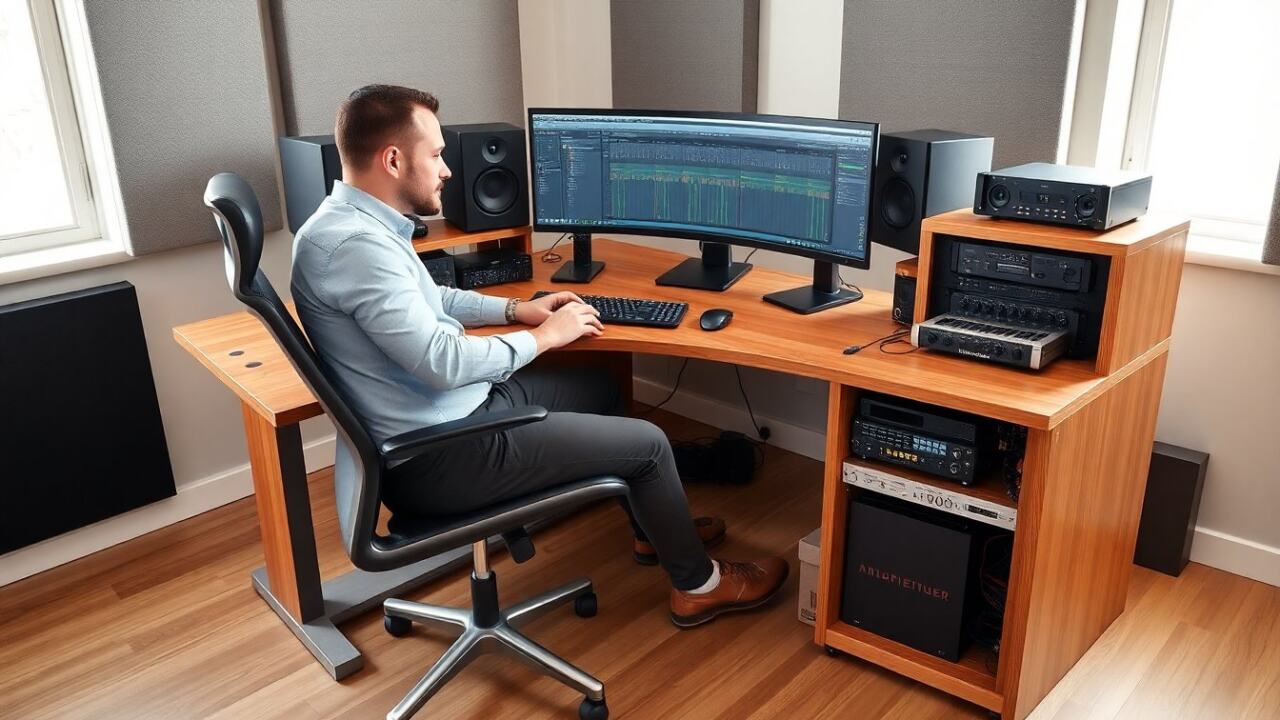
A producer measures the room first. They mark usable wall and floor space. The music production desk must fit the room and leave space for movement and monitors. A 4–6 foot desk suits a small home studio. A 6–8 foot desk suits a medium-sized room with rack gear and outboard. Corner desks save floor space and place monitors at an angle for a nearfield listen. They pick depth based on keyboard and controller reach. They allow 24–30 inches depth for keyboard and mouse, and 30–36 inches depth if large consoles or multiple monitors will sit on the desk.
Essential Features To Look For In A Production Desk
A buyer checks load capacity, layout, and modularity. The music production desk should support heavy monitors and racks without sag. They value a raised monitor shelf for eye level. They look for integrated racks or space for standard 19-inch gear. They prefer cable channels and a solid surface that resists dents and vibration. They choose finishes that reduce reflections and allow easy cleaning. They confirm the desk allows an ergonomic monitor distance of 2–3 feet for most setups. They ensure the desk provides routing paths for power and audio cables to keep the workspace tidy.
Monitor Stands, Racks, And Cable Management
A user raises monitors to ear height to improve imaging. They mount studio monitors on stands or a shelf that isolates the cabinets. They place monitor stands on isolation pads to cut low-frequency energy transfer. They use dedicated rack space for preamps, compressors, and converters. They run balanced cables and label both ends. They route power separately from audio to reduce hum. They add a rear cable chase or under-desk tray to store cables out of sight and out of the way.
Optimizing Gear Placement, Signal Flow, And Workflow
An engineer groups gear by task to speed work. They keep the audio interface closest to the computer and monitors. They place controllers and MIDI keyboards within arm’s reach of the main chair. They put frequently used outboard gear in top rack slots. They route signal flow left to right or top to bottom and label signal paths. They keep power strips in a ventilated, raised area to avoid heat. They test signal chains after placement to confirm levels and ground connections. They arrange gear so the hands rarely leave the primary control zone.
Acoustic And Ergonomic Considerations (Seating, Height, Isolation)
A producer sets listening position at one-third room depth for a balanced low end. They place monitors to form an equilateral triangle with the mixing position. They add broadband absorption at first-reflection points and bass traps in corners. They choose an adjustable chair that supports lumbar and allows feet flat on the floor. They set desk and monitor heights so the eyes sit at the top third of the monitor. They add a small footrest if knees rise above hips. They use isolation pads under monitors and rack feet to cut transmitted vibration into the desk.
Budget Builds Vs Custom Professional Desks — What To Choose
A buyer lists needs and budget before choosing. They pick a budget music production desk for simple setups and tight spaces. Cheap desks work when they support weight and offer good cable management. They pick a custom professional desk for large rigs, heavy monitors, and many racks. Custom desks offer precise ergonomics, dedicated rack bays, and built-in cable channels. They compare cost per feature and consider resale value. They test stability and check return policies. They plan upgrades by reserving space or choosing modular designs that adapt over time.