The best computer for music production can save time and improve sound quality. Producers must match hardware to their workflow. A machine must run many tracks, plugins, and sample libraries without dropouts. This guide explains how workflows change needs and which parts matter most. It helps readers choose between buying a prebuilt system or building a custom rig.
Key Takeaways
- The best computer for music production balances strong single-thread CPU performance with enough cores to handle multiple plugins efficiently.
- At least 16 GB of RAM is recommended, with 32 GB or more ideal for large sample libraries and heavy sample packs.
- NVMe SSDs greatly improve loading times and sample streaming, while HDDs should be reserved for backups and archives.
- Choose an audio interface with low-latency drivers, sufficient inputs and outputs, and connectivity that matches your system for optimal sound quality.
- Select computers based on your workflow and budget: entry-level desktops for home studios, compact laptops with Thunderbolt for mobile producers, and high-core workstations with extensive RAM for pro studios.
- Maintain optimal system performance by keeping the OS lean, updating drivers, using dedicated SSDs for sessions, and managing CPU load through track freezing and buffer size adjustments.
How Music Production Workflows Shape Computer Needs
Home producers often work with MIDI, virtual instruments, and moderate track counts. They need a balanced CPU and at least 16 GB of RAM. Beatmakers rely on large sample libraries and quick loop edits. They need fast SSDs and responsive I/O. Recording engineers track many live inputs and need low-latency audio interfaces and multiple cores. Mix engineers and mastering engineers push plugin chains and require high single-thread and multi-core performance. Live performers need low-latency stability and compact form factors. Each workflow changes which component matters most. Budget and mobility limits will also shape choices.
Key Components To Prioritize (CPU, RAM, Storage, And Audio I/O)
Producers should focus on CPU, RAM, storage, and audio I/O first. These parts affect track count, plugin use, and sample streaming. A clear choice here yields better session stability and fewer audio dropouts.
CPU: Cores, Clock Speed, And Single‑Thread Performance
The CPU controls plugin processing and instrument voices. Producers should select a CPU with strong single-thread speed for most DAW tasks. They should also pick enough cores to run many plugins in parallel. For Intel, modern i7 or i9 chips work well. For AMD, Ryzen 7 or Ryzen 9 CPUs offer strong core counts and clocks. When sessions use many sampler instances, more cores reduce CPU spikes. When sessions use CPU-heavy plugins, higher clock speed cuts render time. They must balance core count and clock speed based on session type.
RAM And Storage: Size, Speed, And SSD Vs. HDD For Sample Libraries
RAM holds active samples and plugin data. Producers should start with 16 GB for basic work. They should move to 32 GB or 64 GB for large orchestral libraries or heavy sample packs. DDR4 and DDR5 memory both work: faster RAM helps some plugins. Storage speed affects plugin load times and sample streaming. Producers should use NVMe SSDs for the OS, DAW, and active sample libraries. They should use larger SATA SSDs or HDDs for backups and archived projects. They should avoid running libraries from slow HDDs when they need low latency.
Audio Interface, Ports, And Low‑Latency Considerations
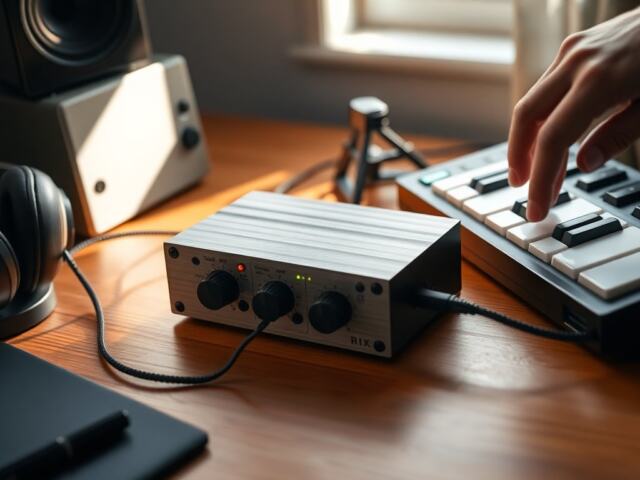
The audio interface converts analog sound to digital signals. Producers should choose an interface with clean preamps and stable drivers. They should pick interfaces with the needed inputs and outputs for their sessions. USB, Thunderbolt, and PCIe options all work. Thunderbolt offers lower latency on systems that support it. Producers should aim for ASIO or class-compliant drivers on Windows and Core Audio on macOS. They should also check that the computer has enough USB ports and fast storage connections for external drives.
Best Computer Options By Budget And Workflow (Home Studio, Mobile, Pro)
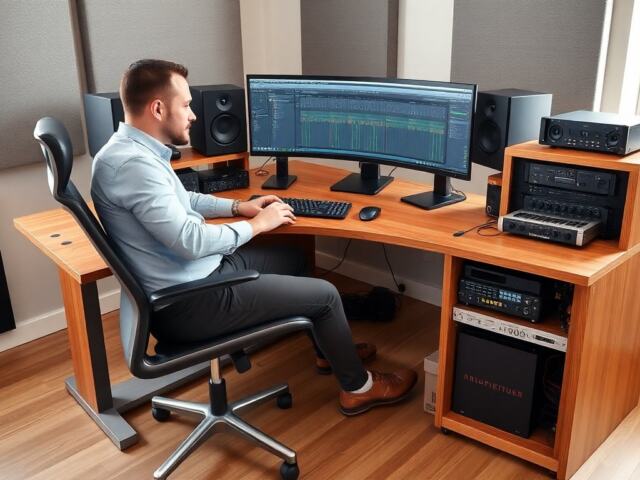
Budget home studio: Choose a used or entry-level new desktop with a quad- or six-core CPU, 16 GB RAM, and NVMe SSD. This option suits podcasting, simple tracking, and beatmaking. Mobile producers: Choose a compact laptop with a modern i7 or Ryzen 7, 32 GB RAM if possible, and Thunderbolt or USB4. This option suits mobile recording and live sets. Pro studio: Choose a workstation-class desktop or rack-mount server with high-core-count CPU, 64 GB or more RAM, multiple NVMe drives, and Thunderbolt or PCIe audio interfaces. This option suits large sessions, orchestral libraries, and professional mixing. For Mac users: Modern Apple Silicon MacBook Pro and Mac Studio models offer strong single-thread and multi-core performance and tight hardware-software integration. For Windows users: Custom builds provide flexible upgrade paths and cost control.
Practical Tips To Optimize Your System For Recording, Mixing, And Live Performance
Keep the OS lean and disable unneeded background apps. Update audio drivers and firmware regularly. Use an SSD for the OS and active projects. Freeze or bounce tracks to reduce CPU load during mixing. Increase buffer size for tracking to avoid clicks and lower it for mixing to reduce latency. Use direct monitoring on the audio interface for zero-latency tracking. Keep a dedicated session drive and a separate backup drive. Test new plugins in short sessions before using them live. For live sets, lock the system to one performance user account and disable automatic updates.