Remote home office setup helps workers create a clear, focused workspace at home. The guide shows practical steps for layout, gear, and daily habits. It gives simple rules that improve comfort, reduce fatigue, and raise output. The advice fits small apartments, spare rooms, and shared spaces. Readers get fast, actionable items they can apply today.
Key Takeaways
- A well-designed remote home office setup starts with ergonomic workspace layout and proper lighting to boost comfort and productivity.
- Reliable technology, including a fast internet connection, quality audio/video gear, and efficient peripherals, is essential for smooth remote work.
- Establishing clear routines and boundaries helps maintain focus, reduce stress, and balance work-life integration in a remote home office setup.
- Incorporating health habits like regular breaks, stretching, and eye exercises supports well-being during remote work.
- Regularly reviewing and updating your remote home office setup ensures it remains effective and adapts to changing needs.
Design Your Physical Workspace: Ergonomics, Layout, and Lighting
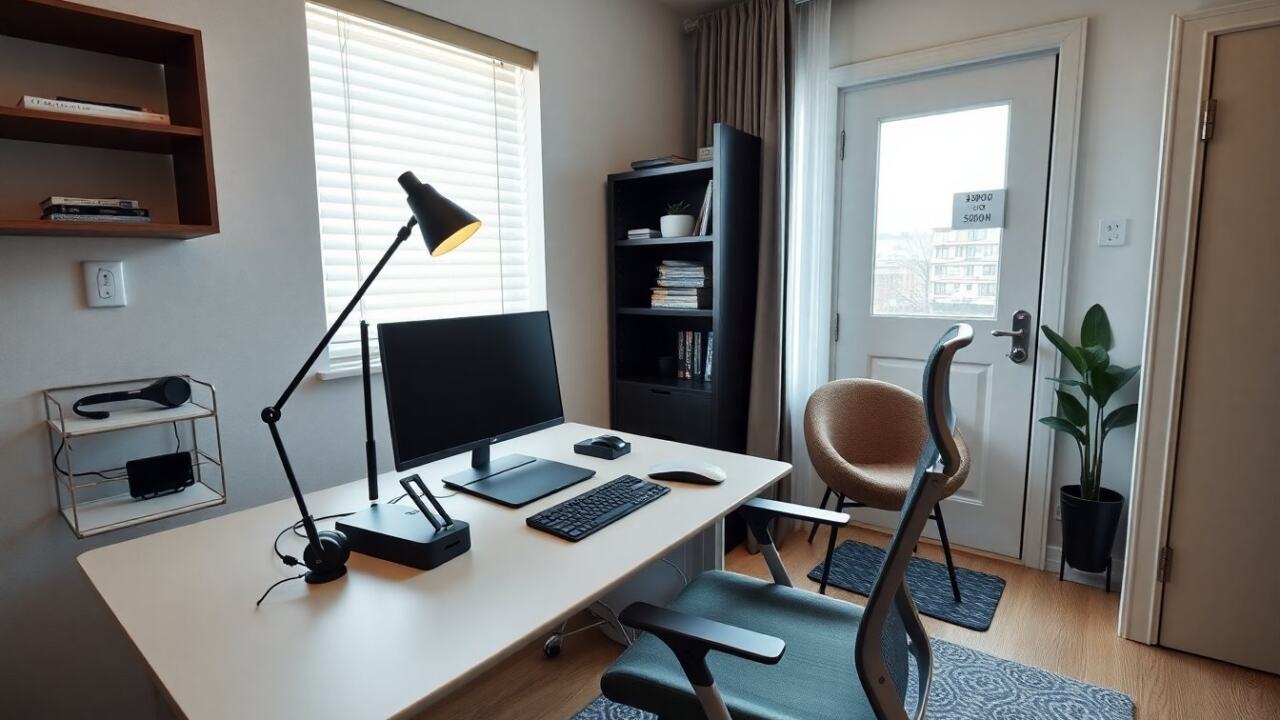
Remote home office setup begins with space choice. They pick a quiet corner or a dedicated room. They place the desk so light falls from the side or front. They set the monitor at eye level. They adjust the chair so feet rest flat on the floor and knees sit at a right angle. They use a footrest if needed. They choose an adjustable chair or a good lumbar cushion. They place the keyboard and mouse close to the body to avoid reaching. They keep frequently used items within arm’s reach.
Remote home office setup includes lighting that reduces glare and eye strain. They add a soft overhead light and a task lamp. They choose bulbs that match daylight color temperature near 4000K to 5000K. They reduce direct sunlight on screens with blinds or curtains. They add ambient light for evening work.
Remote home office setup also covers layout for small rooms. They use vertical storage to free floor space. They mount shelves or use tall bookcases. They use a compact desk with built-in drawers for cables and chargers. They separate work items from personal items to keep focus. They create a small zone for short breaks with a plant or a comfortable chair. They keep the floor clear to reduce stress and to improve cleaning.
Remote home office setup can include simple acoustic fixes. They add a rug, curtains, or wall panels to reduce echo. They place a bookshelf against a thin wall to damp sound. They use a door sweep or weatherstrip to reduce corridor noise. They test the space by taking a video call and listening for distracting sounds.
Choose Reliable Tech: Devices, Peripherals, and Network Essentials
Remote home office setup depends on reliable hardware. They choose a laptop or desktop that fits their workload. They pick a processor and RAM that match app demands. They prefer SSD storage for faster boot and file access. They add an external monitor for more screen space. They use a laptop stand to place the screen at eye level. They connect a separate keyboard and mouse to improve posture.
Remote home office setup includes clear audio and good video. They pick a headset or condenser microphone for meetings. They choose a webcam that records at 1080p for sharper video. They test audio quality before important calls. They mute when not speaking to reduce background noise.
Remote home office setup requires stable internet. They use a wired Ethernet connection when possible. They pick a router with good range and dual-band support. They place the router centrally in the home or use a mesh system for larger spaces. They test speed and latency before work hours and upgrade the plan if needed. They use quality-of-service settings to prioritize video calls if their router supports it.
Remote home office setup also covers peripherals that save time. They add a docking station to connect multiple devices easily. They use an external hard drive or cloud backup to protect files. They use a surge protector or an uninterruptible power supply (UPS) to protect devices. They keep spare cables and a cable organizer to avoid clutter. They label chargers and ports to save time.
Establish Routines, Tools, and Boundaries to Boost Focus and Well-Being
Remote home office setup needs clear routines. They set consistent start and stop times. They create a short pre-work ritual like a walk or a cup of coffee. They plan 45 to 90 minute work blocks with short breaks between them. They use a timer or a calendar to mark focus time. They schedule deep work during their best hours and meetings in other slots.
Remote home office setup calls for simple tools. They use a calendar app to block focus time. They use a task list that shows three top priorities each day. They choose a lightweight note app for quick ideas. They use a password manager for secure logins. They set up two-factor authentication for critical accounts. They keep software up to date to reduce interruptions.
Remote home office setup needs rules for boundaries. They share work hours with household members. They post a small sign on the door during calls if needed. They agree on signals that show when a quiet period is required. They mute notifications outside work hours. They turn off work chat during personal time to reduce stress.
Remote home office setup includes health and recovery. They stand up and stretch every 30 to 60 minutes. They place water and healthy snacks nearby. They schedule a daily outdoor walk for fresh air. They practice eye breaks using the 20-20-20 rule: every 20 minutes look at something 20 feet away for 20 seconds. They arrange regular social check-ins with colleagues to reduce isolation.
Remote home office setup needs review and small improvements. They check ergonomics and tech every three months. They replace worn gear and update software. They collect short feedback from coworkers about call quality. They make one small change each month to keep the workspace effective.